Back
Analytics & BI Dashboards

Enhancing Your Power BI Dashboard: A Guide to Adding Images, Videos, and More

Author
Pfactorial
July 01, 2024
Share
Videos in Power BI
Power BI, Microsoft's powerful business intelligence tool, has gained immense popularity for its ability to transform raw data into visually appealing and interactive dashboards. While Power BI provides an array of visualization options, it's essential to go beyond the default charts and graphs to truly make your dashboards stand out. In this blog, we will explore how to take your Power BI dashboards to the next level by incorporating images, videos, and other multimedia elements.

Let me introduce you to our dataset. This datatable provides a comprehensive overview of stock prices spanning a three-year period, offering data on open and close values, high and low values, and total trading volume. With this dataset as our foundation, we will embark on a journey to construct an engaging and informative dashboard, enriched with   videos, images, and more.
Dataset
How to add videos to dashboard
 Adding url as button in PowerBI desktop
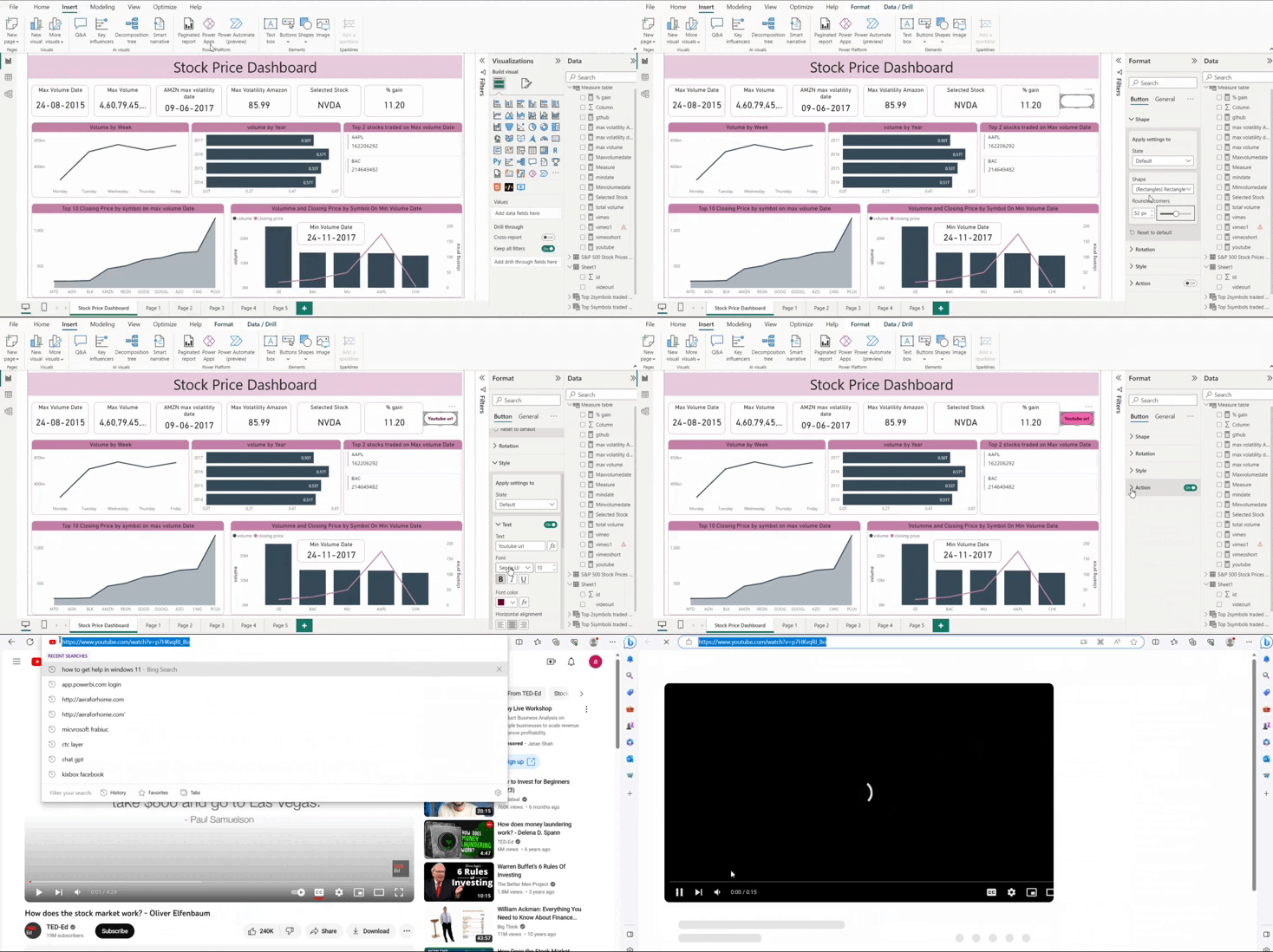
Let us see how to add a you tube url in the dashboard.
From insert tab add button - blank
In actions add type as web url and give the you tube link
Now the url is added to our dashboard.  Arrange the formatting and positioning within the dashboard. Press Ctrl and click on button will direct you  to the you tube video
Adding video to Power BI
Adding videos in mp4 format to the dashboard
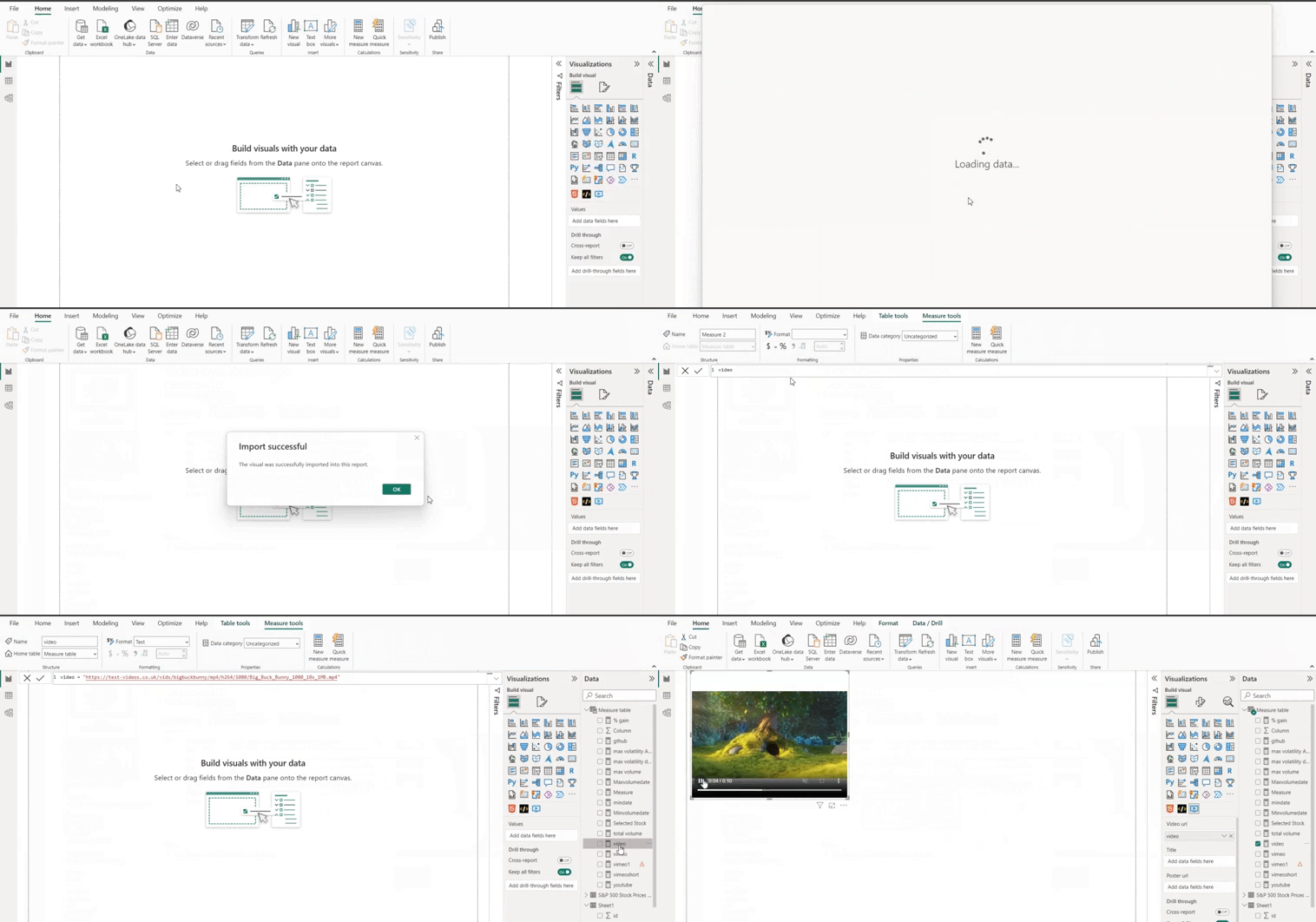
To incorporate mp4 video we need an additional visual ‘video by Cloudscope’. We can add it to the PoweBI visuals by accessing it from get more visuals
Next create a new measure by giving a video url. Url should be in this format.
Next Select the visual and add the measure as usual. Now simply the video will play in your dashboard.
Adding video to Power BI
 Add video in PowerBI service
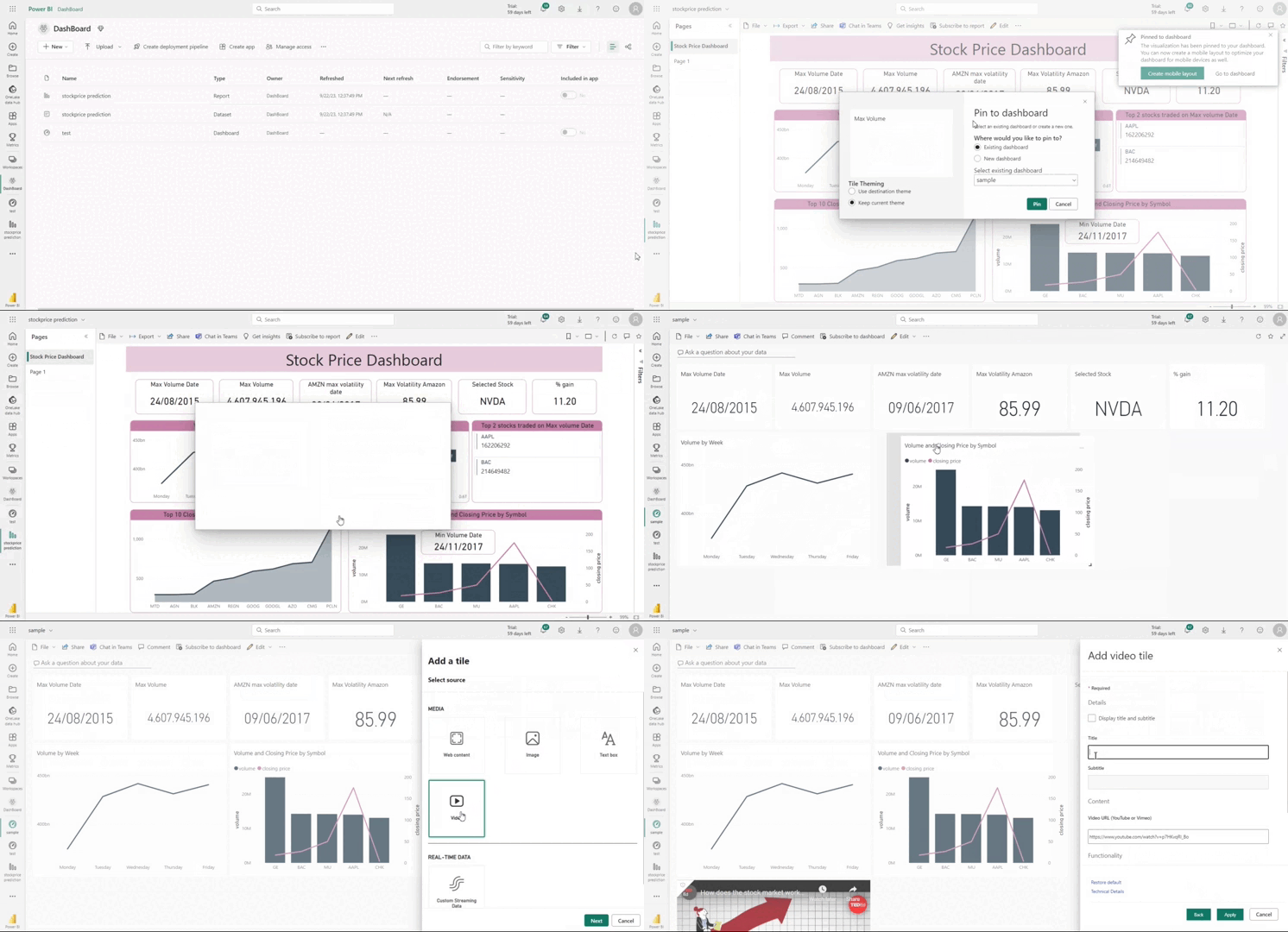
Open PowerBI service and create a workspace. And publish our stock sales price dashboard to this workspace.
Click on edit and add tile
select video then click next
Add video url and title and click apply. Now video is added to the dashboard.
Video to Power BI service
How to add text box and image to this dashboard
Other than videos we can add images and text boxes in PowerBI Dashboard.
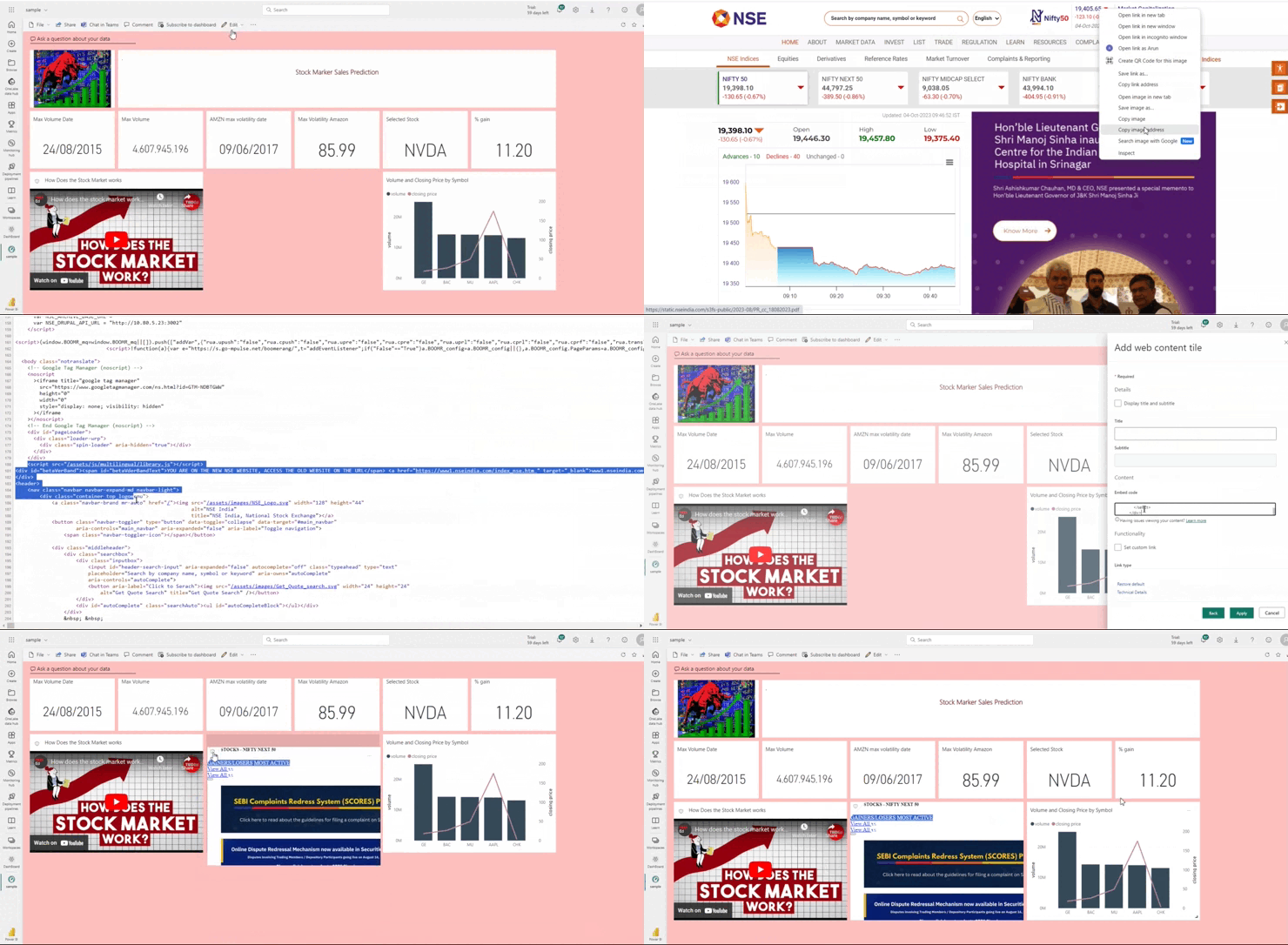
Select the "Edit" option, then choose "Add Tile." select text box, input your desired text, and finally, click on "Apply" to save your changes.
In the same way select image and enter image address then click apply.
Now text and images are added . You can  adjust its position in dashboard
Adding video to Power BI service
How to add web content to the dashboard
Select the edit option  and add tile. Select web content and click next
Copy the html content from the source page and paste it on embedded code. And click apply.
webcontent adding video to powerbi
How to add Pubnub data to PowerBI dashboard
 In PowerBI service dashboard click edit add tile and select custom streaming data. Click add streaming dataset and click pubnub. We can add the PUBNUB dataset to the dashboard. From this link we get a dataset.
Copy and paste subscribe key ,channel Name in the window. Again click edit and select streaming data. And select our data set. Add details and click next and click apply. Now you can see the real time graph like this.
PUBNUB adding video to power bi
  •  Videos can make your dashboard more engaging and informative. In business, especially in E-Commerce, we have created a dashboard to monitor product performance and sales. Within our Power BI dashboard, we can embed product demonstration videos.
  • In scenarios where you need to monitor live events, like stock market data or traffic conditions, videos can provide a real-time view of the situation. This can be especially useful for traders and transportation management.
  • Integrating marketing videos into a dashboard can provide a quick and effective way to convey messages to both internal teams and external clients.
Throughout this blog we have explored some of the key benefits and features of PowerBI including PowerBI service as well as desktop. PowerBI proved to be a powerful tool  for organisations and individuals looking to gain deeper insights from their data. Other than  its user-friendly interface , powerful data visualisation capabilities we can take our dashboard to the next level by incorporating images, videos and real time data.
DISCOVER MORE. CONNECT WITH US!

Intrigued by what you have read? Dive deeper and stay ahead with the latest insights and trends. We are here to answer your questions and help you explore further.