Back
ML Infra, Classifiers & RL

AutoML

Author
Pfactorial
June 26, 2024
Share
AutoML introduction
Introduction
The digital revolution is fueled by data, and companies are hungry for machine learning solutions. From fraud detection to personalized recommendations, AI promises to unlock a treasure trove of insights. But here's the catch: traditional machine learning relies heavily on data science expertise, a limited resource.
This is where AutoML (Automated Machine Learning) steps in. Imagine building powerful machine learning models without years of coding or complex algorithms. AutoML streamlines the entire process, automating tasks like data exploration, feature engineering, and model selection. The result? Faster development, increased productivity, and, ultimately, democratized access to the power of AI.
Here let us discuss how AutoML helps in EDA

EDA tools for AutoML
Exploratory data analysis is one of the important components of data science model development and dataset research to understand the various aspects of the data. It is a kind of summary of data. Getting a new dataset starts with spending a lot of time on EDA . AutoML tools help us to reduce time and enhance accuracy in the process.
Here we introduce some AutoML libraries for EDA.
  • dtale
  • pandas profiling
  • sweet viz
  • autoviz
  • Dataprep
We are going to go through the popular Titanic dataset for the analysis. It has 12 columns and 891 rows. The target column survived.
dtale
Install dtale
Import dtale and other necessary libraries and load the dataset.
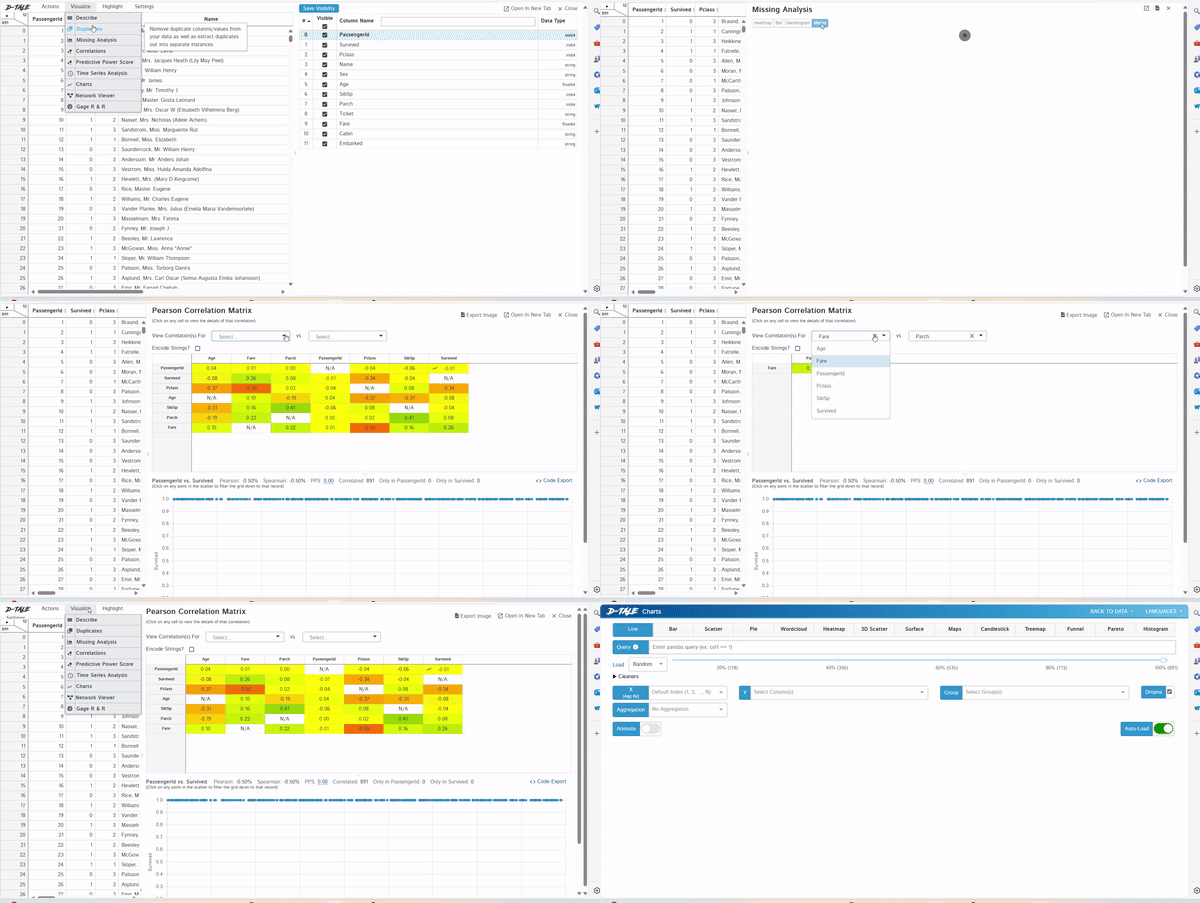
Using dtale.show() we can generate the EDA report. We can open it in the browser using the open_browser() function. Also get the url by printing main_url.
In dtale we can manipulate and edit data.
Dtale
Pandas Profiling
Install pandas profiling
Import pandas profiling and other libraries. Load dataset
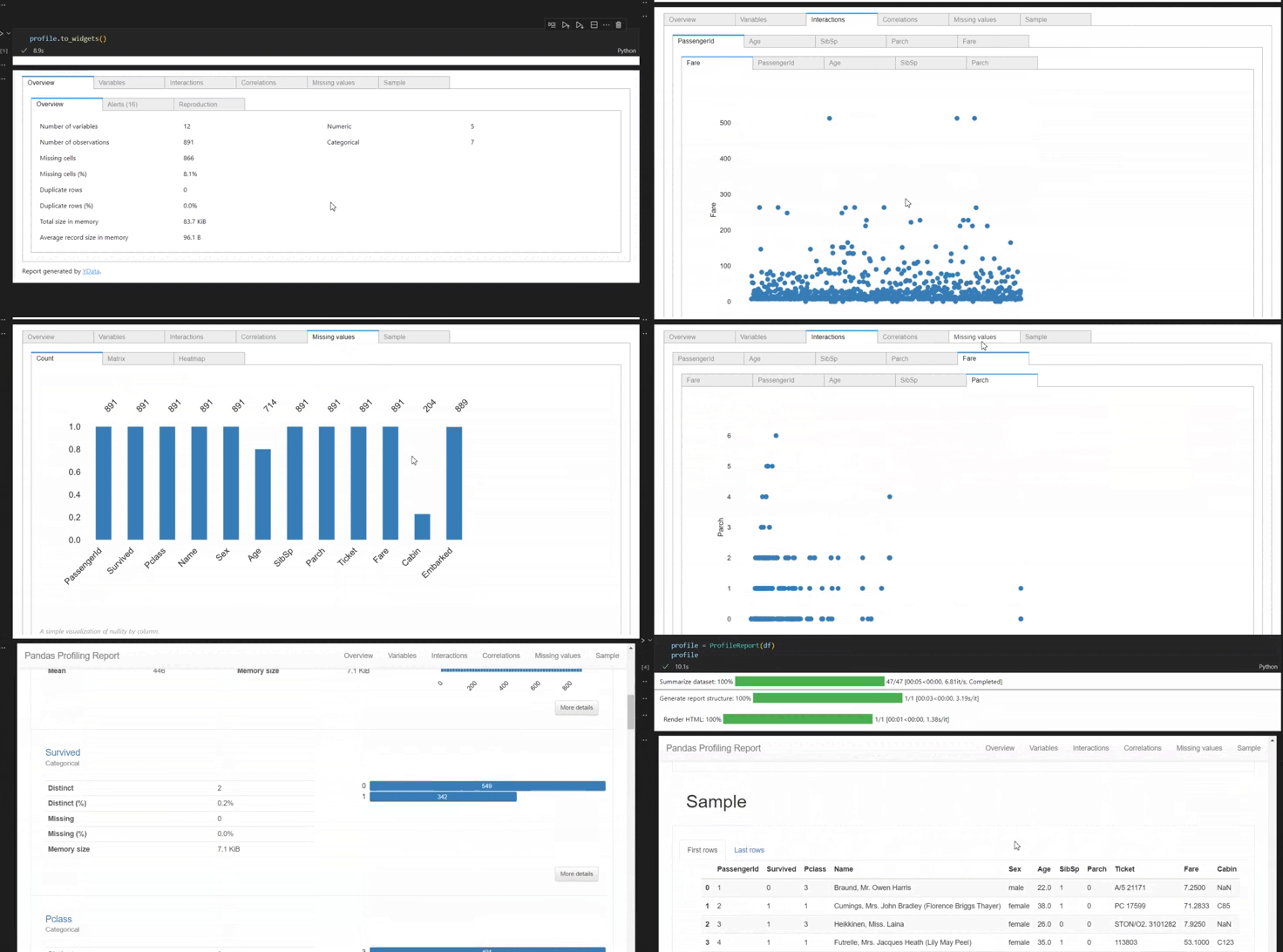
Using profile report() we can generate the report.
Using profile.to_widgets() we can get a window like this and we can go through the report more easily
Pandas profiling
sweet viz
Install sweetviz
Import sweetviz and other libraries. Load dataset.
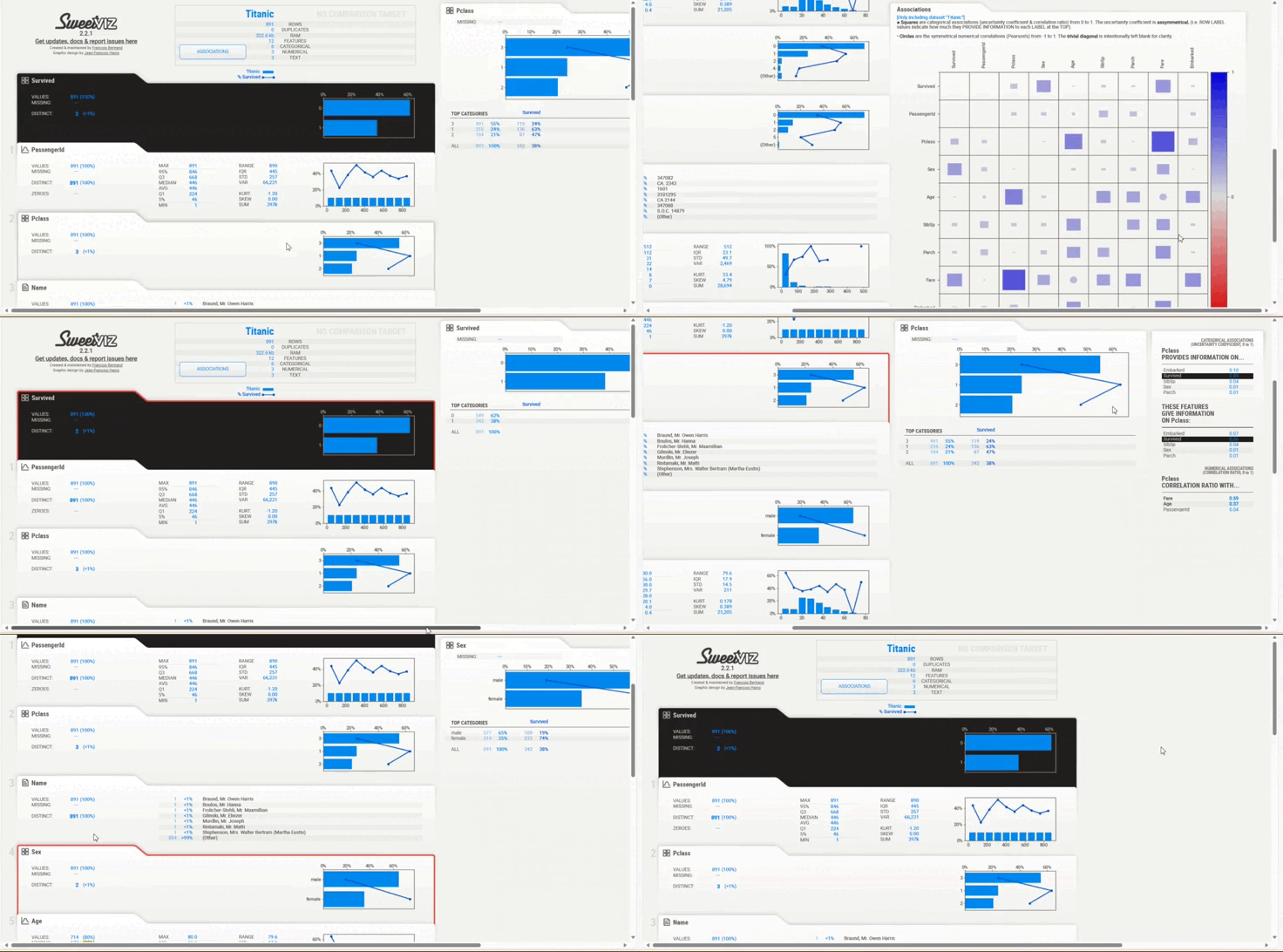
Generate a report using the sweet viz.analyze() function. There we need to give a dataframe in a list and mention the target feature. Report.show_html will show the report in the browser.
Sweetviz
Autoviz
Install autoviz
Import Autoviz_Class and store it in a variable AV. Then load the dataset to AV.Autoviz() function that will generate the report. Before run this cell run %matplotlib inline. Otherwise we can not see the plots.
autoviz_automl
Dataprep
Install dataprep
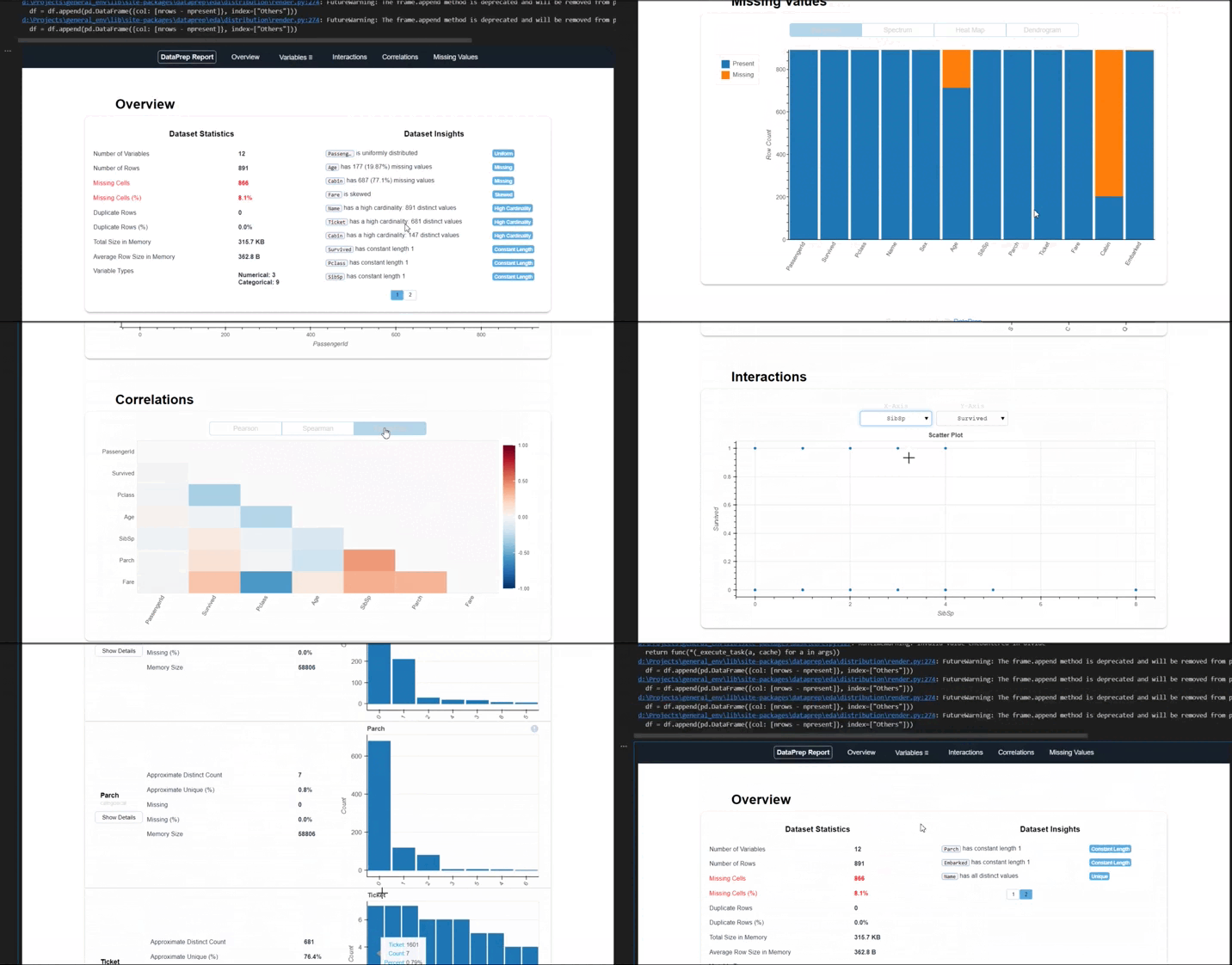
Import necessary libraries and load dataset. Create a report using this dataset.
dataprep automl
The above are AutoML libraries specifically for EDA. There are different AutoML python tools  to automate the end to end  machine learning processes. Some of them are as follows:
  • HO AutoML :Machine learning models are automatically trained and tuned within a user-specified time frame.
  • TPOT :Genetic algorithms are used by TPOT, a tree-based optimization tool for machine learning pipelines.
  • PYCARET :A well-known open-source and low-code Python machine learning library and effective solution for model management and end-to-end machine learning
  •  AutoKeras: AutoKeras is an open-source AutoML package based on Keras and TensorFlow. It provides an easy-to-use interface for automating the process of generating deep learning models.
  • Auto-SKLearn : Auto-SKLearn is based on scikit-learn. It relies on assessment tools from the SKLearn library to handle situations where data repeats or needs to be grouped together.
TPOT
Let us see how TPOT is used :
TPOT (Tree-based Pipeline Optimization Tool) is an open-source AutoML tool that automates the process of pipeline optimization for machine learning. Tpot is built upon the scikit-learn, so its code looks similar to the scikit-learn.
Install TPOT and Load dataset
Here we are using the iris dataset. Before using any dataset in TPOT we need to clean and preprocess that dataset.  We can load data using pandas . Here data is loaded from sklearn dataset. Data is already cleaned and preprocessed.  Iris dataset has details like sepal width,sepal length, petal width and petal length. Based on this it has a target column species, and there are 3 categories in species column.
Configure and run  model using TPOT
Using the TPOTClassifier function we can create a model. This takes many parameters.
Here we are using
  • generations: number of iterations to run pipeline process (default: 100).
  • verbosity: How much information TPOT displays while it’s running. {0: nothing, 1: minimal information, 2: more information and progress bar, 3: everything} (default: 0)
  • max_time_mins: maximum time Tpot allowed optimizing the pipeline (default: None).
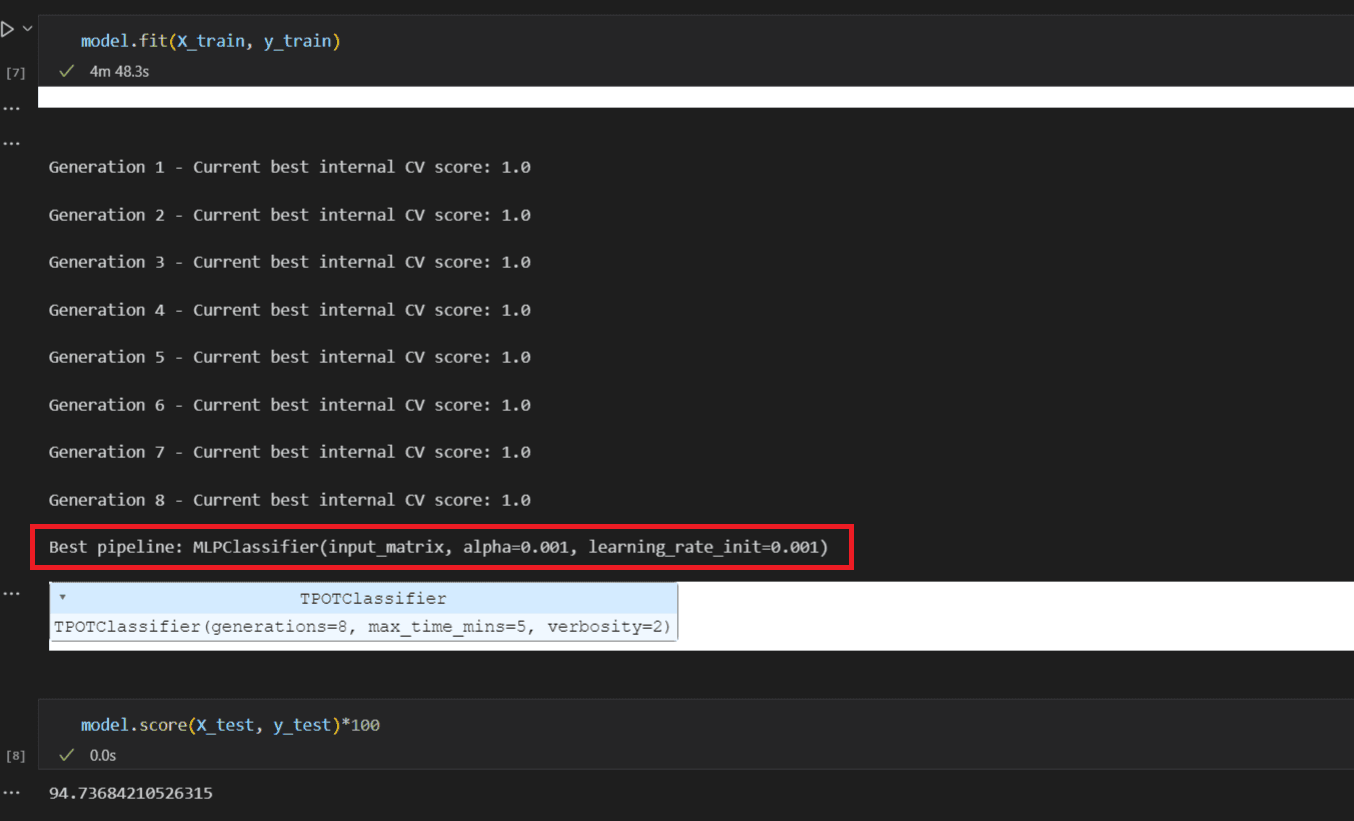
After configuring the model, run the model using model.fit() .This function will generate a range of machine learning pipelines, including preprocessing techniques, feature selection methods, and models. TPOT will also perform hyperparameter tuning to optimize the pipelines. check the score using model.score().
screenshot 6 automl
TPOT  will suggest a suitable model and its hyperparameters. Here it suggests  MLPClassifier.
Evaluation and Prediction

code automl
screenshot 10 automl
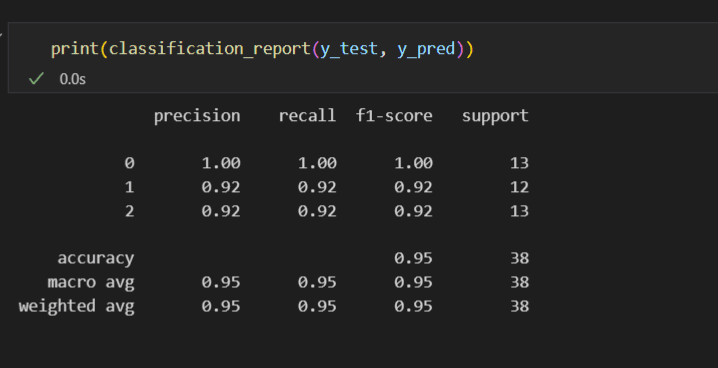
Here we can see that it predicts 3 classes 0,1,2 . class 0 with 100% accuracy and 13 instances belong to class 0. 12 instances belong to class1 and 13 instances belong to class 2 with 92% accuracy.

AutoML tools have emerged as powerful allies in the world of data science and machine learning. They offer a streamlined approach to model development.These tools not only save time but also reduce the potential for human error in the model-building process. They democratise machine learning by allowing a wider range of professionals to harness the predictive power of data, enabling better decision-making and insights. It is important to remember that Domain expertise and a solid understanding of the data are still crucial for ensuring meaningful results. AutoML tools can be a valuable addition , helping us to turn data into actionable insights with greater ease and efficiency.
DISCOVER MORE. CONNECT WITH US!

Intrigued by what you have read? Dive deeper and stay ahead with the latest insights and trends. We are here to answer your questions and help you explore further.