Back
Computer Vision

Image Captioning with Deep Learning

Author
Pfactorial
June 18, 2024
Share
Image captioning
Introduction
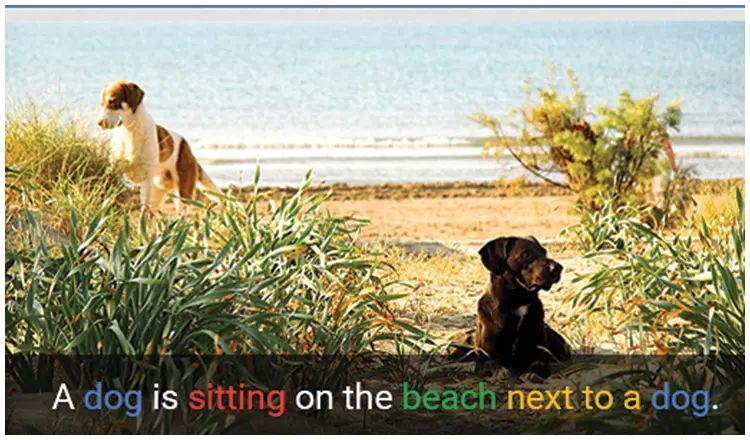
Ever snap a perfect pic, only to stare blankly at the caption box? We've all been there. But what if AI could write a caption for you? The ability to understand and describe visual content has long been the province of human intelligence. We look at a photograph and instantly narrate what we see. Imagine this: you upload a photo to your favorite social media platform. Behind the scenes, the platform's image captioning system kicks in, analyzing the image and writing a caption for you. Wow! Instant caption, no writer's block required. This is just one example of how image captioning technology is seamlessly integrating into our daily lives. But the applications go far beyond saving us from caption struggles. In the age of exploding artificial intelligence (AI) advancements, computer vision is experiencing a revolution. One exciting application within AI is image captioning, a technology that bridges the gap between visual understanding and natural language.
Image captioning
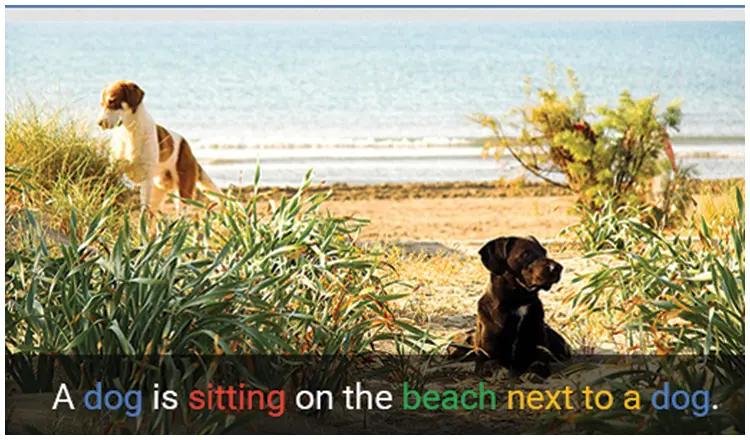
This technology combines computer vision, which is responsible for understanding the visual content of the image, and natural language processing, which is used to generate the textual description. As we said it involves two steps. The first step is to process the input image using a deep neural network, such as CNN . In this step CNN extracts features from the image and then passes them to the language generation component. Here it involves RNN or a transformer based model to generate captions. Image captioning has a wide range of applications in our daily life. We will discuss that later in this blog.
Model Architecture.
Now let us discuss the model. Here we are using the model from Hugging Face Salesforce/blip-image-captioning-large(BLIP - Bootstrapping Language-Image Pre-training ). This model is not only used for image captioning but used for tasks like image text retrieval, visual Question Answering etc.

As you see in the below image this architecture has 3 parts. Let's briefly grasp the role of each of these parts.
architecture image
Unimodal encoder : This part encodes image and text. For text it uses a technique similar to bert, a language model, and adds [CLS] token at the beginning of text to summaries the whole sentence. In this part the loss calculated is known as the Image-Text Contrastive Loss (ITC), that helps the model understand the relationship between images and text. It encourages the model to identify positive(image-text pairs as similar) the negative (image-text pairs are different).
Image-grounded text encoder :  In this part we have an additional layer cross Attention layer.  Images inserted into this part through this cross attention layer. Here a task-specific [Encode] token is appended to the text to represent the image-text pair together. Loss for this second part is Image-Text Matching Loss (ITM) . ITM is a binary classification task, to help the model understand how well images and text are matching.
Image-grounded text decoder : Here in the text you only get to attend to tokens behind. A [Decode] token is used to signal the beginning and end of a sequence, token is used to signal its end. Here we use  Language Modelling Loss (LM)  , which aims to generate textual descriptions for a given image.
When building image captioning models, we typically focus on the first and last components of the architecture. We deactivate all other parts and fine-tune these two components. It introduces two modules: a captioner to generate captions and a filter to remove noisy image-text pairs. Both the captioner and the filter are initialized from the same pre-trained MED model, and fine tuned individually on the COCO dataset. COCO Captions contains over one and a half million captions describing over 330,000 images. You can refer this link to know more about coco dataset https://cocodataset.org

So I hope that now you have a basic understanding of the model, let's explore how to apply it for image captioning.
How to build a Image Captioning Model
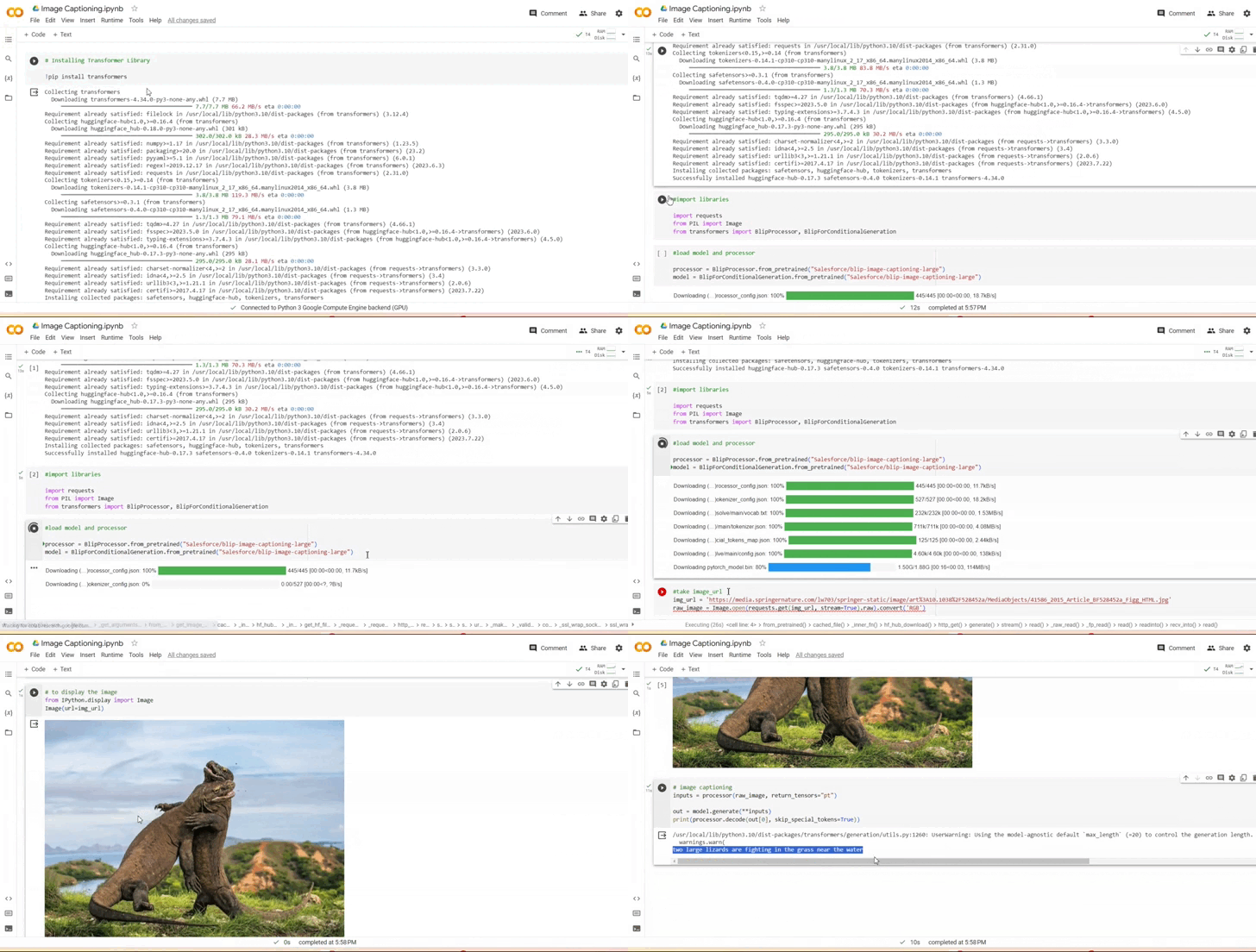
To begin, open a new Collab notebook and install the Transformer library and import other required libraries.
Next we need to Load the model and processor
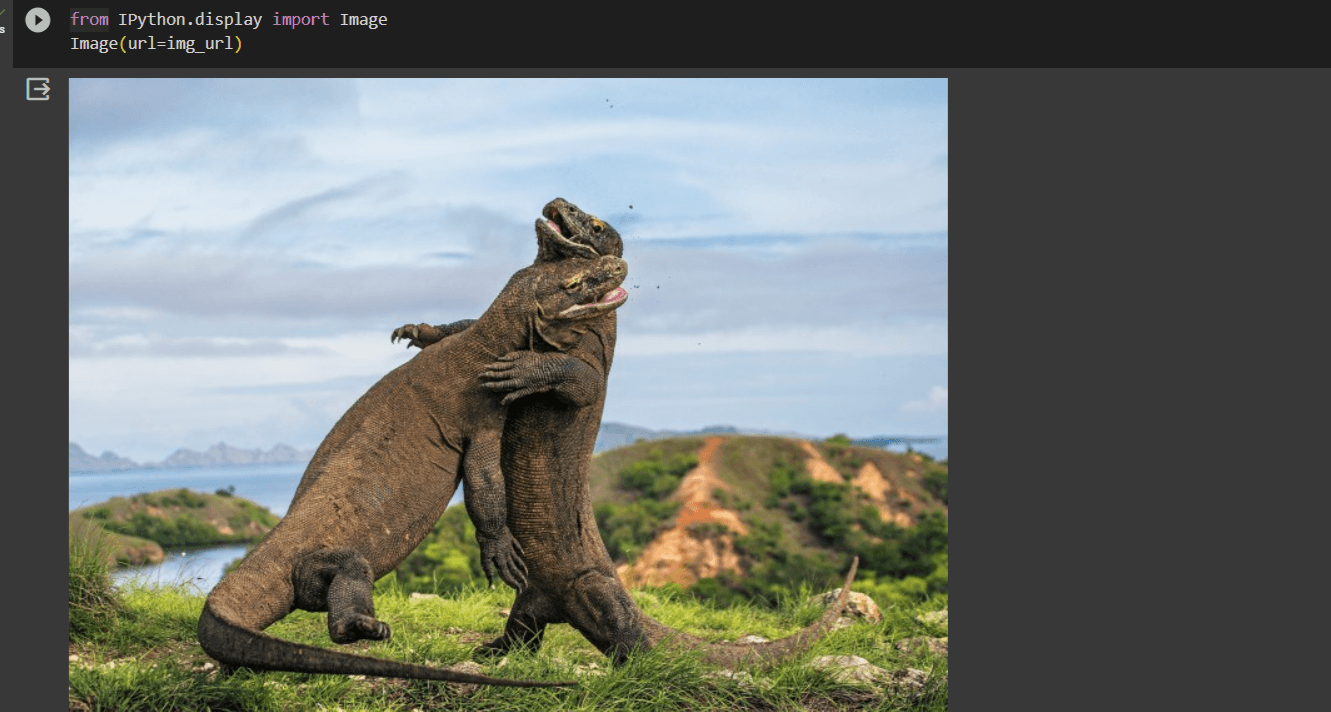
Now, we're ready to utilize the model for generating captions for our image. Simply provide the image URL, open it, and convert it to the RGB format.
screenshot of image
After giving the URL , Generate output text using generate function. This code takes raw_image and passes it through the processor. And using the pretrained model generates captions for the input image.
Image captioning
Image captioning
Use cases
  •  Accessibility for the Visually Impaired: Image captioning can make digital content more accessible to individuals with visual impairments. Screen readers can use these captions to describe the content of images on websites or in documents.
  • E-commerce: E-commerce websites use image captions to provide additional information about products. This can help users make more informed purchasing decisions. Imagine you're shopping on an e-commerce website for a new smartphone. You come across a product listing with an image of the phone, along with a brief caption generated by image captioning technology. The caption could provide valuable details about the product, such as: "Brand New iPhone 13 Pro Max, Midnight Green, 128GB". The image caption helps potential buyers quickly understand the product's core features, and this information can greatly assist in their purchasing decision. It reduces the need to click into the product page to find these details, saving time and providing a more efficient shopping experience.
  •  Automated Image Tagging: Image captioning can automatically generate tags or keywords for images, making it easier to organize and search for specific images in large image databases. Imagine that if you have to manage an extensive database of images. These images are used for various purposes, such as marketing, content creation, and website design. Finding a specific image can be challenging without a well-organized system . Suppose you upload a new image to the image database. This image is a photograph of a smiling family enjoying a day at the beach. The image captioning system analyses the content of a photo and generates a set of tags or keywords based on the image's content. In this case, the system might generate tags like "beach," "family," "smiles," etc. The generated tags are automatically associated with the image in the database. Now, when someone needs to find a beach-related image with a family theme, they can simply search for these tags, and the system will return relevant results.
  •  Education: Educational institutions and e-learning platforms use image captioning to provide descriptions and explanations for educational images, making learning materials more accessible.

Image captioning finds applications in a broad spectrum of domains, extending well beyond the examples listed. As image captioning technologies continue to advance, they hold the promise of making our digital and physical worlds more inclusive, informative, and efficient.

DISCOVER MORE. CONNECT WITH US!

Intrigued by what you have read? Dive deeper and stay ahead with the latest insights and trends. We are here to answer your questions and help you explore further.