Back
July 01, 2024
ML Infra, Classifiers & RL
DATA VERSION CONTROL
Pfactorial
Share

Everyone in the tech community knows about Git hub. A version control software used for tracking changes in the code, allowing different team members to collaborate on the same codebase. Git hub works well for tracking and storing different versions of your code, but what if you want to track the data you use in your projects? For instance, in a machine learning project data is crucial for training a model. When an ML developer wants to collaborate with other team members and share the data ,the developer can use another version control system called DVC(Data version control).
In DVC ,you set up a remote repository. Your project will contain a .dvc file, which contains the location to your remote repository .The remote repository could be anywhere from your local computer to AWS,GCP,AZURE etc. When another developer starts working with your project , they receive the .dvc file not the entire data. The developer can then use this dvc file to get the original data from the remote storage.
Sounds great right ! Let’s jump into the details of how to use dvc in your data projects.
Installation
Create a virtual environment in python
Install dvc using ‘python -m pip install dvc’
Initial steps
- Install git in your system
- Open github and fork this repository ‘https://github.com/Username/Youtube-title-classification’
- If you have your own repo in github you can use that .
- Clone the forked repo to your local computer using
- Git clone https://github.com/your_user_name/Youtube-title-classification
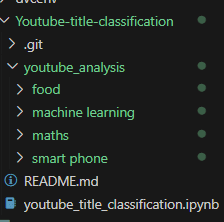
- Cloned repository folder structure :
This is a machine learning project for classifying youtube video titles into four categories :’machine learning’,’food’,’smart phone’,’maths’.The code in the repo uses google drive for storing the training and validation data and the training was done in colab. Let’s change the code to use data from our own pc and track the changes in the data using dvc.
Use this link to download the data. Unzip and add the folder youtube_analysis to the cloned repo’s folder.
We use git to track the changes in the code and dvc for tracking changes in the data.
New folder structure:

Using dvc
First create a new branch in your repo by using the command:
Initialise dvc using the command dvc init
Next step is optional .If you don’t want dvc to track your usage analytics data use the command : dvc config core.analytics false
A remote storage is required for dvc to store the data controlled by dvc.
This can be anywhere from your local directory to any cloud service’s data storage .For this blog ,let’s create a folder named remote_repo outside the cloned folder i.e.,Youtube-title-classification.
After creating the remote_repo folder use the following command to set the created folder as remote storage by dvc
In the config file inside .dvc folder created during the initialization of dvc ,the path to remote storage gets added after running the above command

After creating the remote repository, the next step is to add the files which we want to track with dvc using the command dvc add youtube_analysis
Use git add - -all to add all the files excluding the folder containing data to the github.
Commit the changes using git commit -m “first commit with dvc”
Use dvc push to move the data to the remote repository and
git push --set-upstream origin first to push the files excluding the folder containing data to the branch ‘first’.
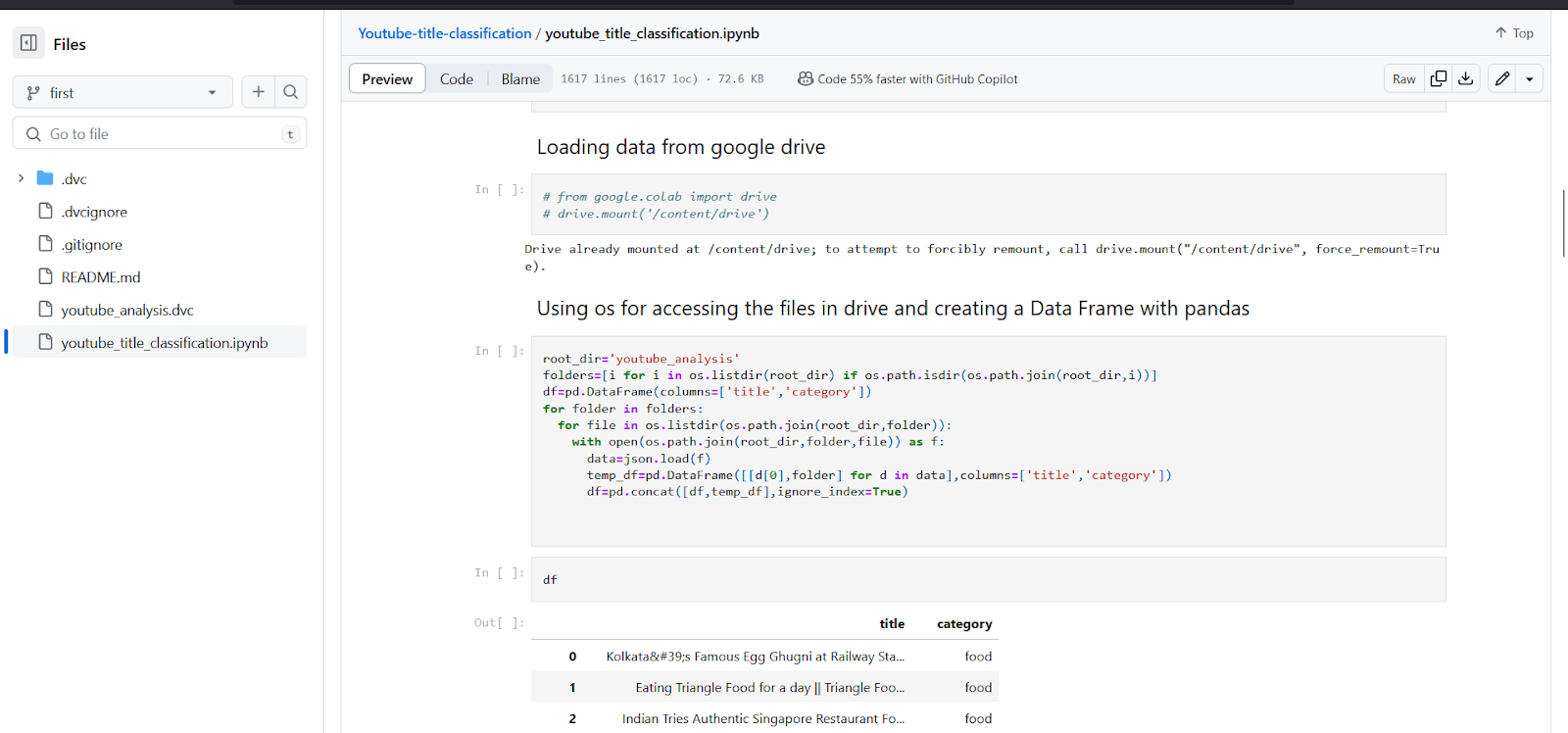
The branch will look like this.
.png&w=2048&q=75)
Inside the youtube_title_classification.ipynb file we can see the changes we made
We can see that the youtube_analysis folder containing the data is not pushed to github.If someone wants the data they can use the youtube_analysis.dvc file to get the data.Let’s see how it works

Accessing data
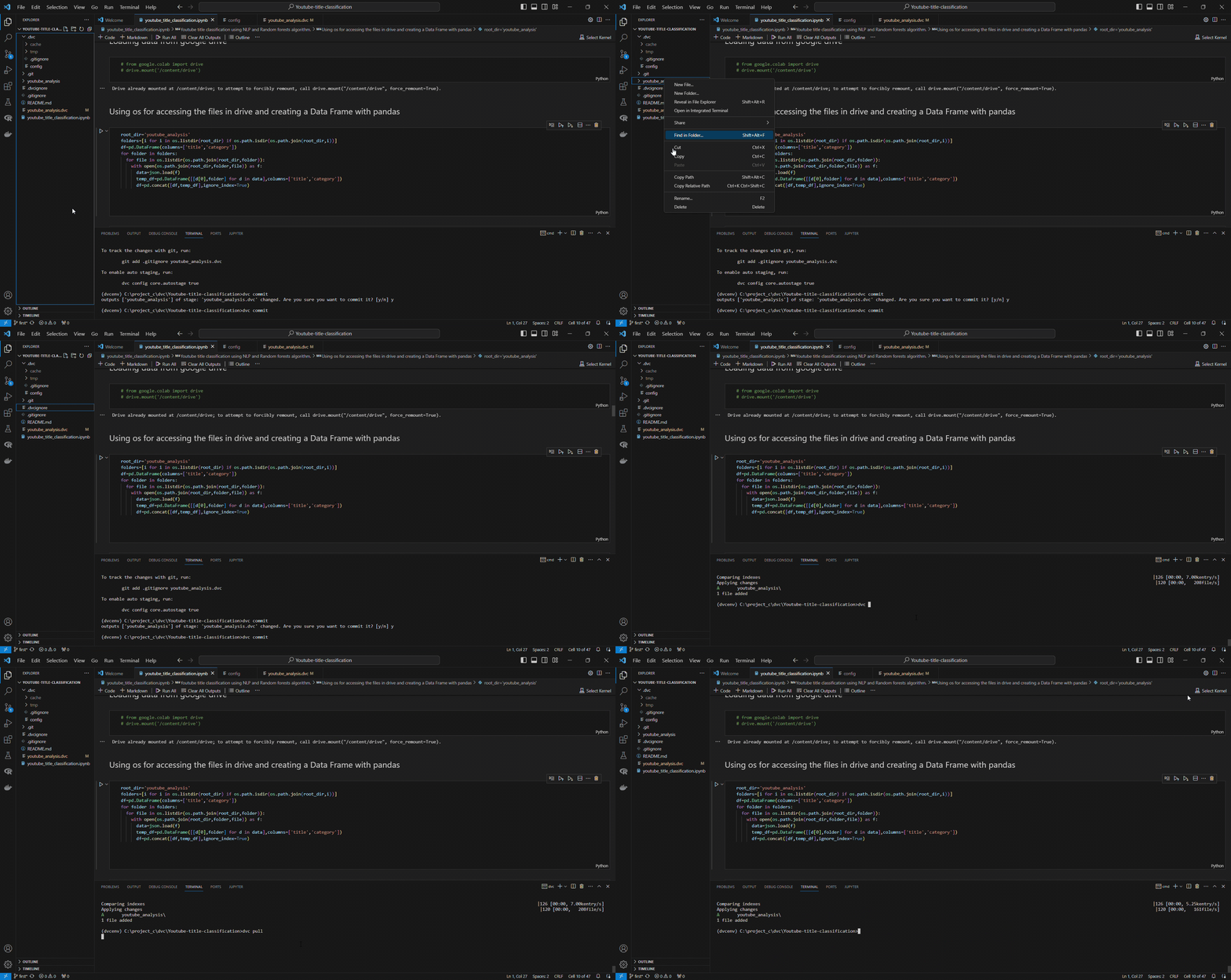
First let’s delete the youtube analysis folder and retrieve the data from the remote repo.
After deleting the folder dvc pull command is used to pull the data from the remote repository using the remote repo path .

Tracking changes
The primary use case of DVC is to track the changes in the data.
Let’s start by creating a new branch in git before making changes to our data .Whenever you make changes to the data, push it to a new git branch.Then using this branch we can access that specific version of the data.
(There are other ways for tracking changes like using tags in git,but it is beyond the scope of this blog)
Create new branch using git checkout -b "data tracking"
Let’s make some changes in the Activation functions in deep learning.json file inside youtube_analysis/machine_learning folder.
Change - Added leaky relu activation function in the youtube title
Now commit the changes using dvc commit and push the changes to the remote repository using dvc push
Now use git add - - all for adding all the files except the folder containing data.Commit the changes using git commit -m "dta tracking commit"
Use git push --set-upstream origin data_tracking to push the changes to data_tracking branch in github. Now the new branch contains youtube_analysis.dvc file which can be used to access the updated data
Now we have successfully updated our data and pushed the changes to dvc remote storage and github.
Remember we have two branches first and data_tracking. ‘first’ contains the original data and ‘data_tracking’ contains the modified data .If we want to access the previous data in the ‘first’ branch ,switch to the branch using
git checkout first and using dvc pull pull the data from the remote storage .To access the modified data use git checkout data_tracking followed by
dvc pull
Use cases
- Track machine learning models and data.
- Switch to a specific version of the model or data
- Share large data files with collaborators
- Compare different model training parameters
If you want to learn more about Data version control refer the documentation: